License
Overview
The License page allows administrators to activate and manage the G-Immute product license. A valid license is required for the system to function fully. When the license expires, a red banner reading "Your license has expired. Renew license" appears at the top of every page across the entire G-Immute interface until a new license is activated.
To access this page, click on LICENSE from the left navigation menu.
License Page
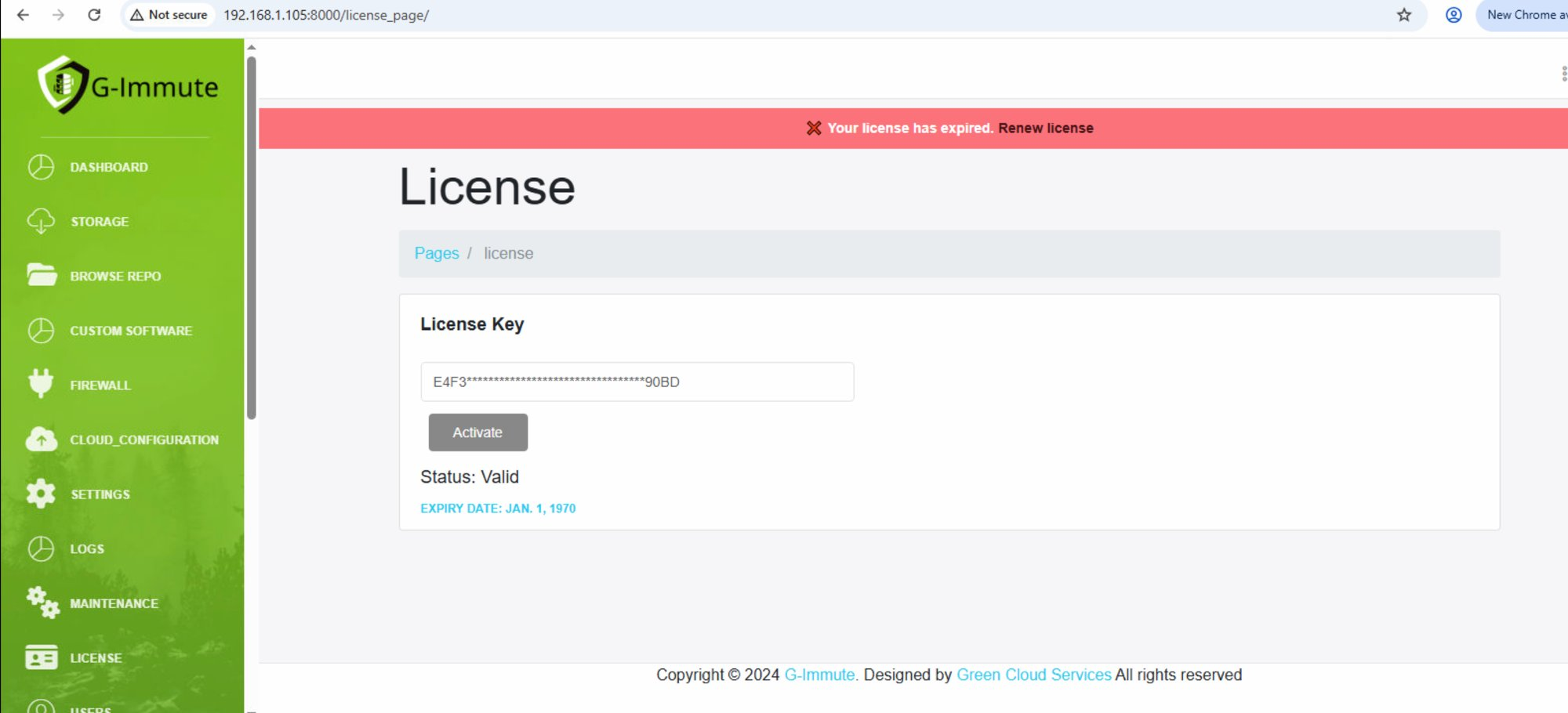
Figure 59 — License page showing license key, status, and expiry
| Element | Description |
|---|---|
| License expired banner (Red) | "Your license has expired. Renew license" — this red banner appears at the top of every page when the license is expired or invalid. Click Renew license to go directly to the License page. |
| License Key field | Enter your license key to activate or renew. The key is partially masked for security. Example: E4F3****...****90BD |
| Activate button | Click to activate the entered license key. The system will validate the key and update the license status. |
| Status: Valid | Confirms the license key has been successfully activated and is recognized by the system. |
| EXPIRY DATE | Shows the date when the current license will expire. Example: JAN. 1, 1970 (shown in blue). Contact G-Immute support to obtain a new license key before the expiry date. |
When the license expires, a red banner will appear on every page of the G-Immute interface. To restore full system functionality, enter a new valid license key on this page and click Activate.
Starting a Free Trial
G-Immute also offers a free trial for users who do not yet have a license key. This allows you to evaluate the full functionality of the system before purchasing a license.
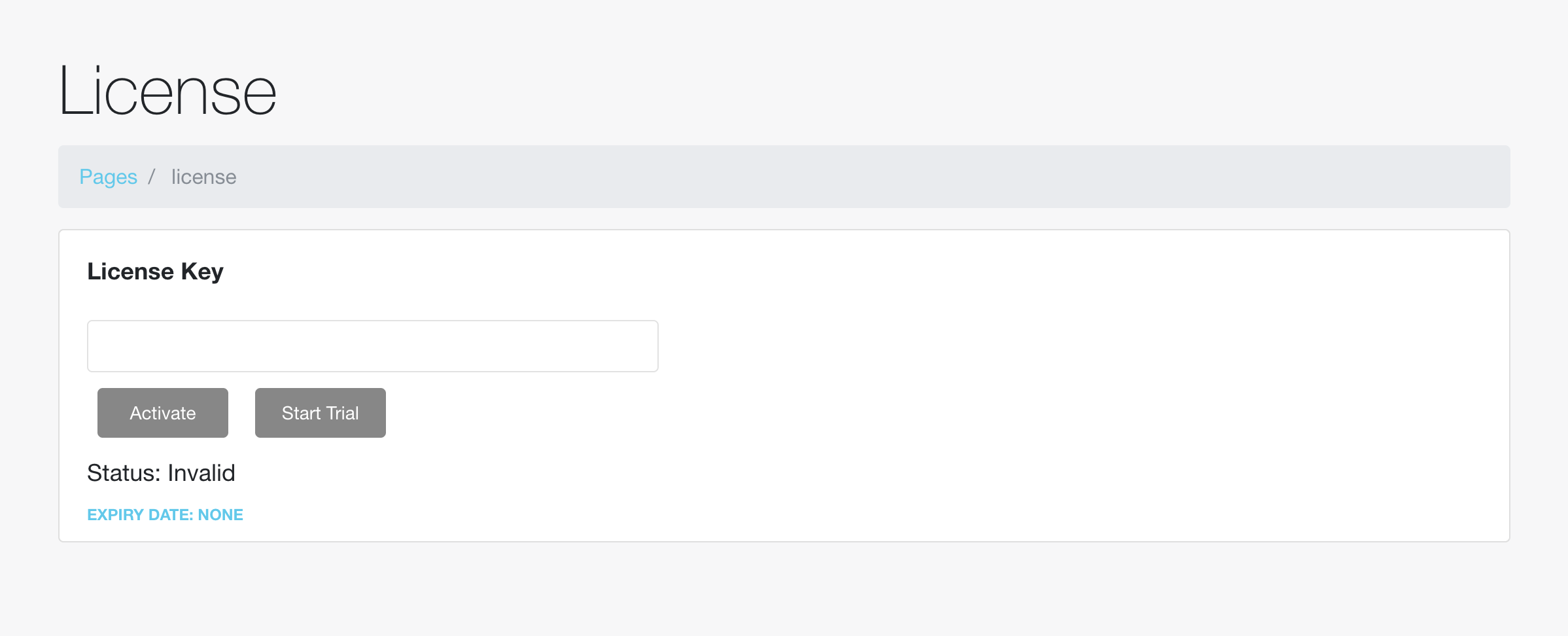
Figure 60 — License page showing the Start Trial option
To start a trial:
- Navigate to the License page from the left navigation menu.
- Enter the trial key provided by G-Immute support into the License Key field.
- Click the Start Trial button.
- The system activates a temporary trial license, valid for 1 month.
- Once activated, the Status updates to Valid and the EXPIRY DATE displays the date the trial will end.
| Element | Description |
|---|---|
| License Key field | Enter the trial key provided by G-Immute support to start a trial. |
| Start Trial button | Activates a free, time-limited trial of G-Immute (1 month) using the trial key entered above. |
| Status: Invalid | Shown before a trial or license has been activated, indicating the system is not yet fully functional. |
| EXPIRY DATE: None | Shown before a trial or license has been activated. Once Start Trial is clicked, this updates to reflect the trial's end date. |
Enter the trial key provided by G-Immute support and click Start Trial to get 1 month of full access to G-Immute. Once the trial period ends, you'll need to enter a valid license key and click Activate to continue using the system without interruption.